Add AskTender to Claude
in under 2 minutes.
Four steps, all copy-paste. Your first 25 requests are free — no credit card, no sales call. By the end of this page Claude will know every open Australian government tender.
Video walkthrough coming soon. The written steps below take about two minutes.
Get your free API key
Enter your work email and we'll send you a 6-digit code. Your key appears right here on this page, loaded with 25 free requests.
Your API key — no need to write it down:
No need to record this — it's already built into the connector URL in the steps below. 25 free requests included · We've also emailed it to you with your login details.
Open Claude connector settings
In Claude (claude.ai or the desktop app):
- Click your initials (bottom-left) → Settings
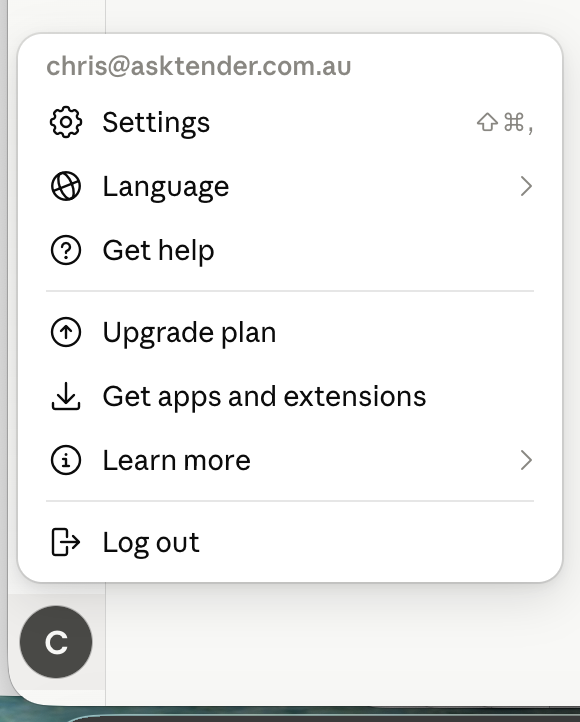
- In the left sidebar, under Customize, choose Connectors
- Click the Add button (top-right) → Add custom connector
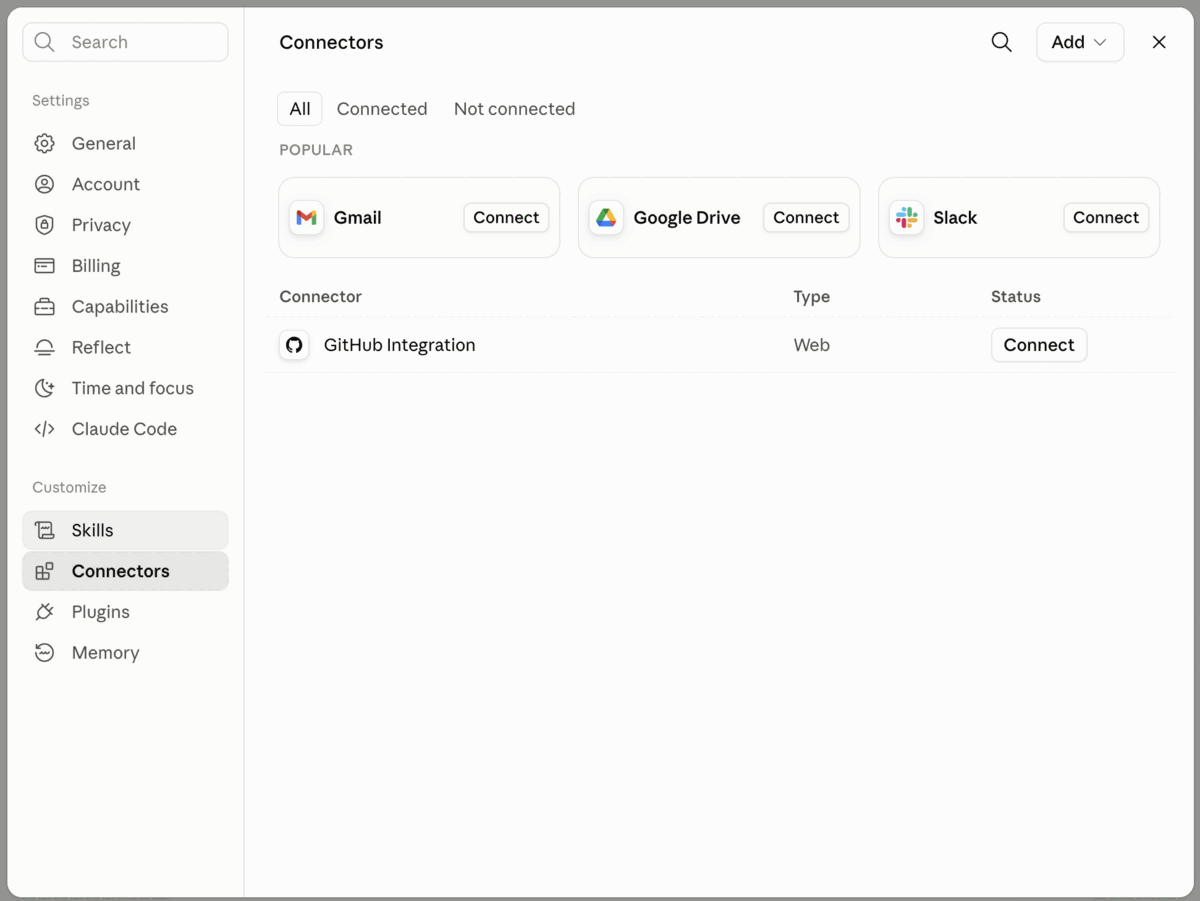
Custom connectors are available on Claude Pro, Max, Team and Enterprise plans.
Paste the AskTender connector details
The modal has just two fields to fill (click any box to copy):
Name
Remote MCP server URL
Your connector URL includes your API key.
Grab your free key in step 1 above, or log in and we'll fill it in here automatically.
Advanced settings
Leave OAuth Client ID and OAuth Client Secret blank — both are optional, and your key is already in the URL.
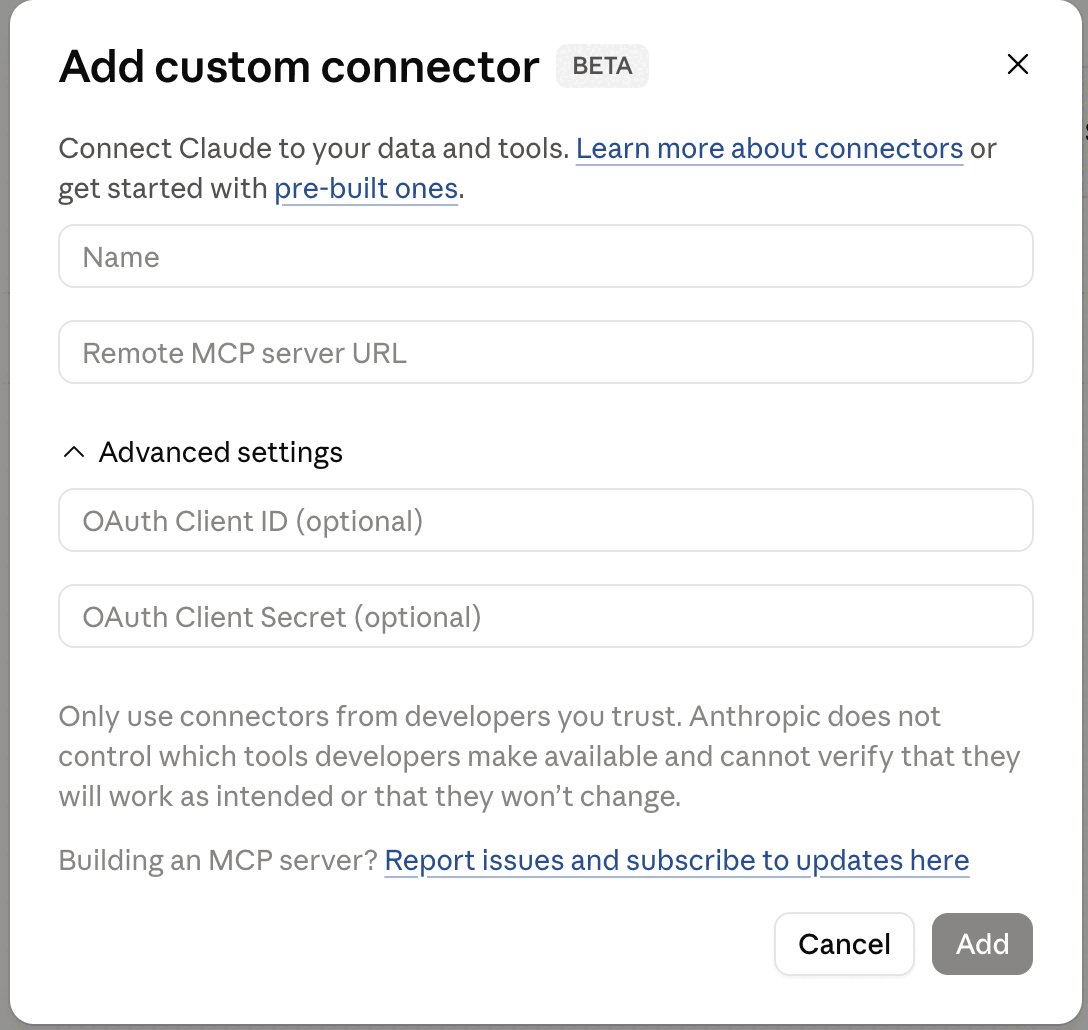
Click Add. Claude will verify the connection — you'll see AskTender listed under your connectors.
Now click AskTender in that list. You'll see the AskTender logo, your connector URL, and a black Connect button. Click Connect — adding the connector doesn't switch it on, and this last click is what does. Once it's connected, the button disappears and AskTender's tools become available in your chats.
Ask your first question
In any chat, make sure AskTender is enabled (search & tools menu) and try:
That's it. Claude now sees every Australian government tender the moment it's published. 🎉
Hit a snag?
- Can't see "Add custom connector"? Custom connectors need a Claude Pro, Max, Team or Enterprise plan.
- Connection failed? Make sure you copied the whole URL including the key on the end, with no trailing space or line break.
- Still stuck? Contact support — we reply fast.
Prefer ChatGPT? Follow the ChatGPT setup guide instead →