Add AskTender to ChatGPT
in under 2 minutes.
Four steps, all copy-paste. Your first 25 requests are free — no credit card, no sales call. By the end of this page ChatGPT will know every open Australian government tender.
Video walkthrough coming soon. The written steps below take about two minutes.
Get your free API key
Enter your work email and we'll send you a 6-digit code. Your key appears right here on this page, loaded with 25 free requests.
Your API key — no need to write it down:
No need to record this — it's already built into the connector URL in the steps below. 25 free requests included · We've also emailed it to you with your login details.
Turn on developer mode
Custom MCP servers are hidden until developer mode is on. In ChatGPT (web or desktop app):
- Click your name (bottom-left) → Settings
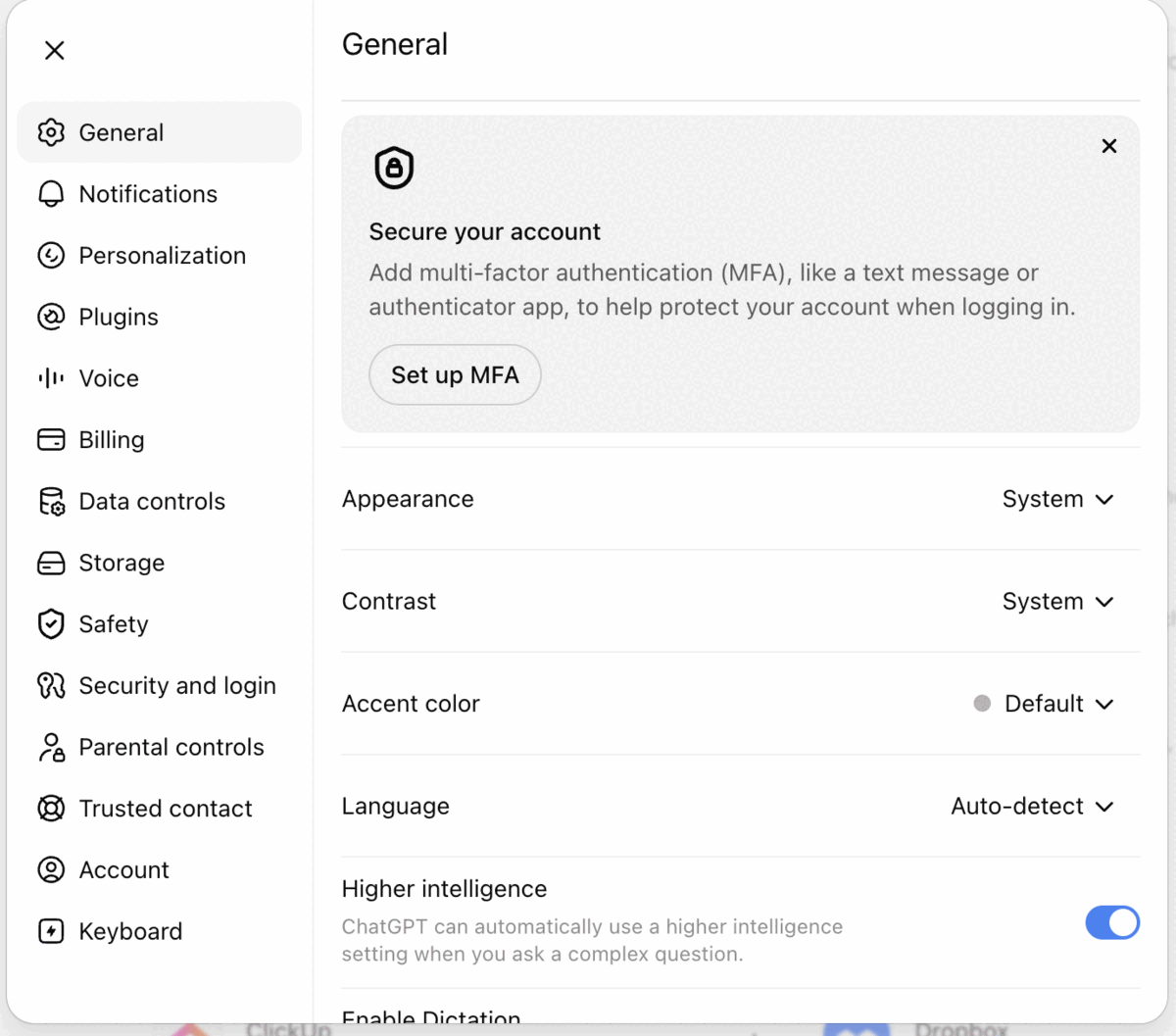
- In the left sidebar, choose Security and Login

- Find Developer mode and switch it on
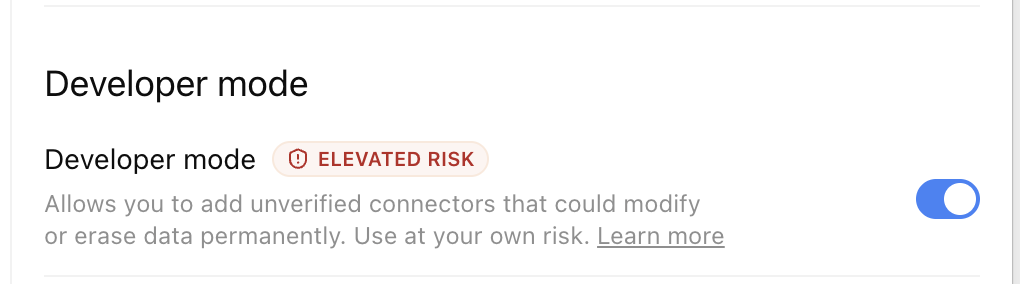
ChatGPT flags this as elevated risk because it lets you add unreviewed connectors. That warning is about connectors in general, not AskTender specifically — our server is read-only over public tender data.
- Go back to Plugins in the left sidebar
- Click the + button (top-right)

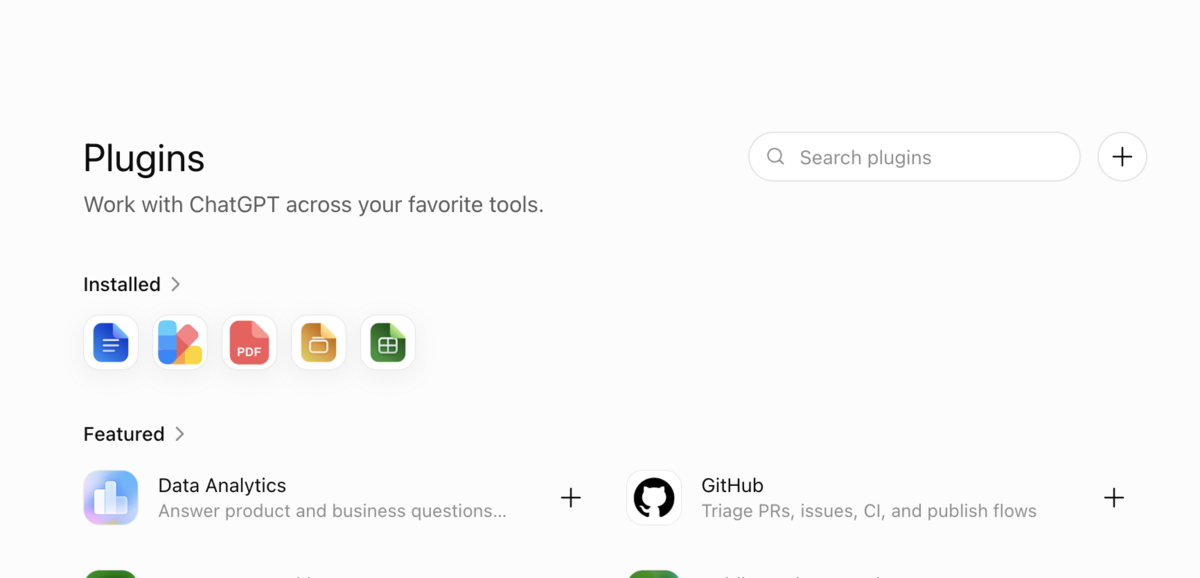
Fill in the New Plugin form
Work down the form in order (click any box to copy):
Icon (optional)

Saves asktender-icon.png to your computer, then click the + icon box in ChatGPT and pick it. Already sized to ChatGPT's limits: PNG, 256×256, 5 KB.
Name
Description (optional)
Connection
Leave this on Server URL — not Tunnel.
Server URL
Your connector URL includes your API key.
Grab your free key in step 1 above, or log in and we'll fill it in here automatically.
Authentication
Change the dropdown from OAuth to None (it may be labelled “No authentication”). Your API key is already inside the server URL, so there's nothing else to enter — leave Advanced OAuth settings alone.
Confirm and create
Tick I understand and want to continue — the Create button stays greyed out until you do.
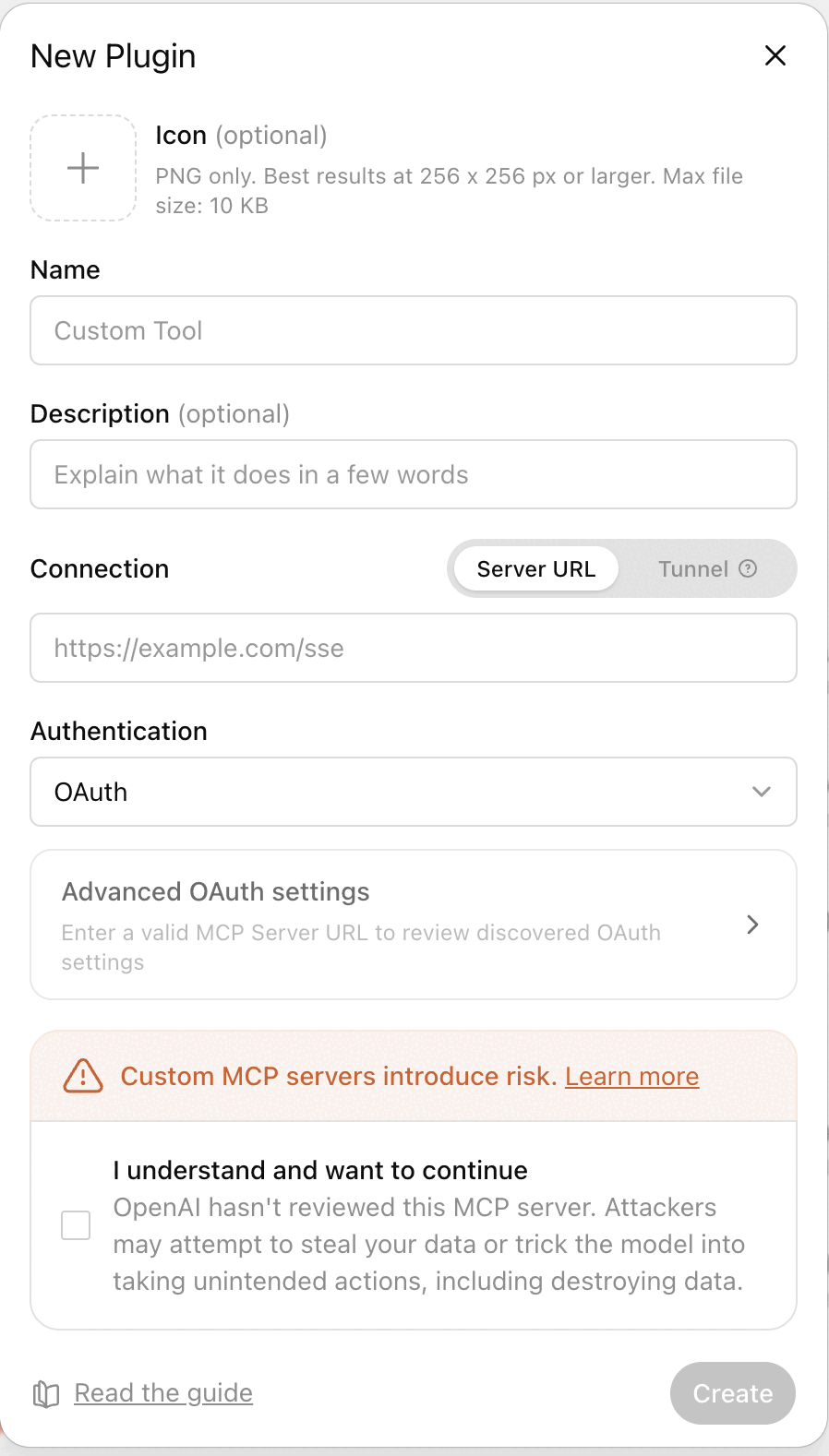
Click Create. ChatGPT verifies the connection and AskTender appears in your plugin list.
Ask your first question
In any chat, make sure AskTender is enabled in the + / tools menu and try:
That's it. ChatGPT now sees every Australian government tender the moment it's published. 🎉
Hit a snag?
- No + button on the Plugins screen? Developer mode isn't on yet — go back to Settings and switch it on.
- Create button greyed out? You haven't ticked I understand and want to continue.
- Icon rejected? ChatGPT only accepts PNG files up to 10 KB at 256×256 or larger. Use our download above — it already fits.
- Connection failed? Make sure you copied the whole server URL including the key on the end, with no trailing space or line break.
- Still stuck? Contact support — we reply fast.
Prefer Claude? Follow the Claude setup guide instead →